Machine Learning

04 Classification: Image Classification & Processing

Imron Rosyadi

05. Introduction to Image Classification

We’ll explore how machine learning tackles visual data, understanding its unique challenges and opportunities for ECE applications.

The Nature of Image Features

What makes image classification unique? Each pixel is a feature, represented by numerical values.

Pixel Grid Representation

RGB Pixel Values

Pixels are often encoded using Red, Green, and Blue (RGB) values. Each color component typically ranges from 0 to 255.

RGB Color Model

Feature Dimensions: A Challenge

Consider a 1920 × 1920 image. How many features if represented by RGB values?

Feature Dimensions: The Calculation

\[ 1920 \times 1920 \times 3 = 11,059,200 \]

That’s over 11 million input features! Data can be viewed as a 3D tensor: Width × Height × Channels.

Interactive Feature Calculator

Explore how image dimensions and color channels impact the total number of features.

Note

Adjust the sliders and dropdown to see the feature count change dynamically!

Even More Features

How many features would a 12 megapixel image (common for phone cameras) have if stored in RGB?

Megapixel Feature Count

\[ 12,000,000 \times 3 = 36,000,000 \]

An extremely large number of features! This makes training traditional models difficult. Lower resolution images are often used for initial training.

Grayscale: Reducing Complexity

Grayscale images use a single number (e.g., 0-255 or 0.0-1.0) to represent pixel intensity. This effectively reduces the feature count by a factor of three.
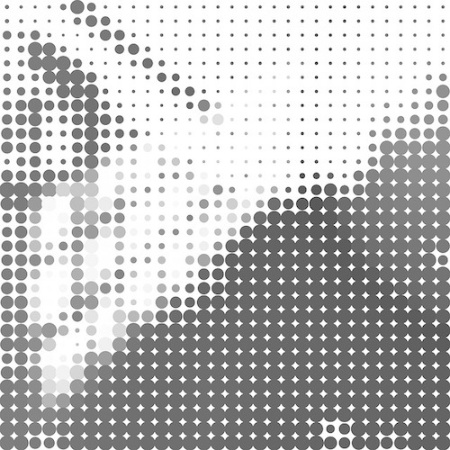
Grayscale Image

Other Image Formats

Beyond RGB and Grayscale, various formats exist, each with specific applications:

  • HSV: Hue, Saturation, Value (perceptually organized)
  • HSL: Hue, Saturation, Light (perceptually organized)
  • CMYK: Cyan, Magenta, Yellow, Black (for printing)
  • BGR: Blue, Green, Red (common in some computer vision libraries)

Real-World Image Challenges

Images encountered in real-world scenarios are rarely simple. They often contain multiple objects and background clutter.
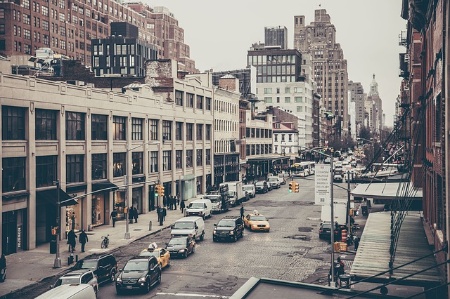
Busy Street Scene

Lab Exercise: Fashion-MNIST

We’ll start with controlled datasets, like Fashion-MNIST: 70,000 grayscale, 28x28 pixel images of single clothing items.
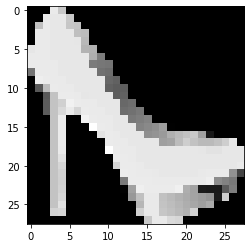
Ankle Boot Example

Fashion-MNIST Class Labels

Label Class
0 T-shirt/top
1 Trouser
2 Pullover
3 Dress
4 Coat
5 Sandal
6 Shirt
7 Sneaker
8 Bag
9 Ankle boot

Lab Exercise: MNIST Digits

Another clean dataset: handwritten digits for classification (0-9). Similar 28x28 grayscale format, one digit per image.
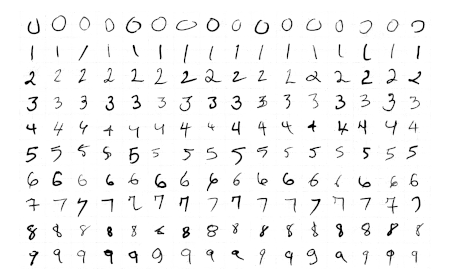
Handwritten Digits

Your Turn!

Get hands-on experience with image classification datasets.

06. Images and Videos

Images and video processing are integral to many ML applications in ECE.

What is an Image, Really?

At its core, an image is a grid of pixels. Each pixel is a sampled data point representing color at a specific location.

Image Encodings

Not all pixels are encoded in the same way. Various encoding schemes exist, influencing data representation and processing.

Grayscale vs. Color Images

A primary distinction: single-channel grayscale or multi-channel color. This choice affects feature count and information richness.
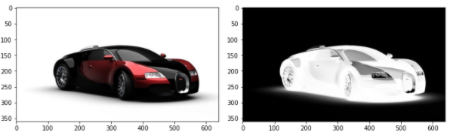
Color vs Grayscale Car

Grayscale Pixel Ranges

Grayscale values can range from: - Integers: [0, 255] (8-bit unsigned integer) - Floats: [0.0, 1.0] (normalized for neural networks)
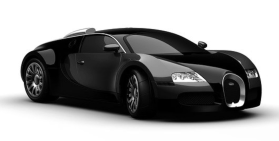
Grayscale Car

Interactive Pixel Normalizer

Normalize a pixel value from [0, 255] to [0.0, 1.0] or vice versa.

Color Image Encodings: A Spectrum

From RGB to CMYK, many color spaces exist. Each offers a different way to represent color, impacting applications from display technology to printing.
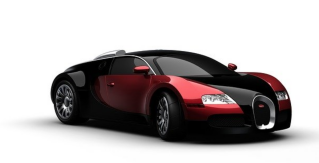
Color Car

Modifying Images: Encoding Transformations

Python libraries like OpenCV (cv) and NumPy (for array operations) facilitate these transformations.

import cv2

# Convert from BGR encoding (common in OpenCV) to RGB 
image = cv2.cvtColor(image, cv2.COLOR_BGR2RGB)

# Normalize pixel values from [0, 255] to [0.0, 1.0]
image = image / 255.0

# Scale pixel values from [0.0, 1.0] back to [0, 255]
image = (image * 255).astype(int) 

Modifying Images: Resizing

Resizing images is often necessary to match model input requirements. Care must be taken to avoid distortion.
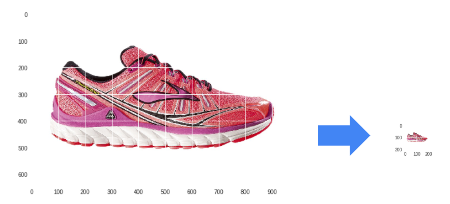
Resized Running Shoe

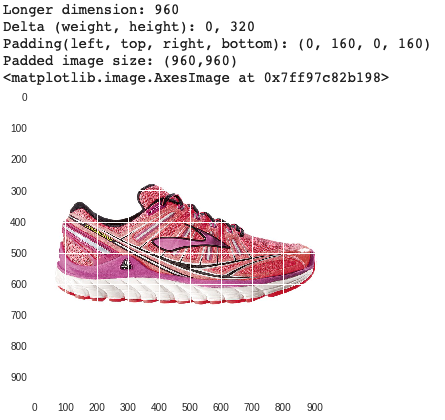
Modifying Images: Padding

Padding helps maintain aspect ratio and prevents image distortion during resizing. Useful for ensuring all images conform to a fixed input size.
Padded Running Shoe

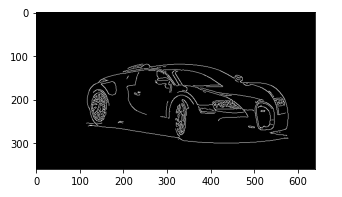
Modifying Images: Centering

Advanced techniques can find and center the focal object. Algorithms like Canny edge detection help pinpoint important features.
Car with Edge Detection Lines

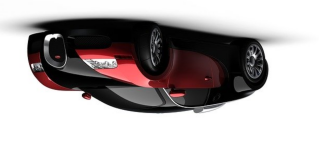
Modifying Images: Rotation

Image augmentation often involves various transformations, including rotation, to increase data diversity and model robustness.
Rotated Color Car

Other Image Augmentations

What other image augmentations can you imagine?

  • Cutting/Mixup: Splicing parts of images to create new training examples.
  • Dropout: Randomly removing portions of an image during training.
  • Generative Models: Creating synthetic data to augment existing datasets.
  • Color Jittering: Randomly adjusting brightness, contrast, saturation.

Understanding Video Data

For our purposes, video is simply a sequence of images (frames).

Consider:

  • Frame Rate (FPS): Number of images per second (e.g., 30 fps, 60 fps).
  • Change between frames: Varies greatly based on content.

Your Turn

It’s time to practice working with images and video.

This involves multiple labs:

  1. Image processing with PIL (Pillow).
  2. Image processing with OpenCV.
  3. Video processing (extracting frames from video).

These labs build towards a project on classifying items in a video. Have fun!

07. Saving and Loading Models

In real-world applications, models are typically saved after training and loaded for deployment.

This enables reusability, fine-tuning, and sharing.

Pickling scikit-learn Models

Standard Python’s pickle module can serialize (save) and deserialize (load) scikit-learn models.

Saving a model

import pickle
from sklearn.linear_model import LogisticRegression
# Assume 'model' is a trained scikit-learn model
model = LogisticRegression() # Placeholder for a real trained model
# ... train model ...

model_file = 'my_model.pkl'

with open(model_file, 'wb') as output:
    pickle.dump(model, output, pickle.HIGHEST_PROTOCOL)

Loading and using a model

import pickle
model_file = 'my_model.pkl'

with open(model_file, 'rb') as input:
    model_restored = pickle.load(input)

# Example: make a prediction (dummy input)
print(model_restored.predict([[45, 34, 2]])) # Placeholder

Saving and Loading Keras Models

Keras (built on TensorFlow) provides native functions for saving and loading models in its own format or H5.

Saving a Keras model

import tensorflow as tf
from tensorflow import keras
# Assume 'model' is a trained Keras model
model = keras.Sequential([keras.layers.Dense(1, input_shape=(3,))]) # Placeholder

tf.keras.models.save_model(
    model, 'my_model.tf'
)

Loading a Keras model

import tensorflow as tf

loaded_model = tf.keras.models.load_model(
    'my_model.tf'
)
# Example: Summarize the loaded model
loaded_model.summary()

Loading Frozen Graphs: Historical Context

“Frozen graphs” refer to TensorFlow 1.x models saved as a single .pb file. They represent a static computation graph with embedded weights.

Loading the Graph Definition

import tensorflow as tf
import os

frozen_graph_path = os.path.join("path", 'frozen_inference_graph.pb')

with tf.io.gfile.GFile(frozen_graph_path, "rb") as f:
    graph_def = tf.compat.v1.GraphDef()
    loaded = graph_def.ParseFromString(f.read())

Note

This process uses tf.compat.v1, indicating compatibility for older TensorFlow 1.x models within a TensorFlow 2.x environment.

Loading Frozen Graphs: Wrapping for TF2

TensorFlow 1.x used lazy execution; TensorFlow 2.x uses eager execution. tf.compat.v1.wrap_function bridges this gap for seamless integration.

def wrap_graph(graph_def, inputs, outputs, print_graph=False):
    wrapped = tf.compat.v1.wrap_function(
        lambda: tf.compat.v1.import_graph_def(graph_def, name=""), [])

    # Prune the graph to only include specified inputs and outputs
    return wrapped.prune(
        tf.nest.map_structure(wrapped.graph.as_graph_element, inputs),
        tf.nest.map_structure(wrapped.graph.as_graph_element, outputs))
  
# Example usage:
model = wrap_graph(graph_def=graph_def,
                   inputs=["image_tensor:0"], # Name of the input tensor
                   outputs=["detection_boxes:0", "detection_scores:0"]) # Example output tensors

Loading Frozen Graphs: Using the Wrapped Model

Once wrapped, the frozen graph can be used like any other TensorFlow 2.x callable.

# Assuming 'tensor' is a pre-processed image tensor
predictions = model(tensor) 

# 'predictions' would contain the outputs defined earlier, e.g.,
# predictions["detection_boxes:0"], predictions["detection_scores:0"]

Your Turn

Practice saving and loading models using different frameworks to understand their practical deployment.

08. Video Processing Project: Identifying Cars in a Video

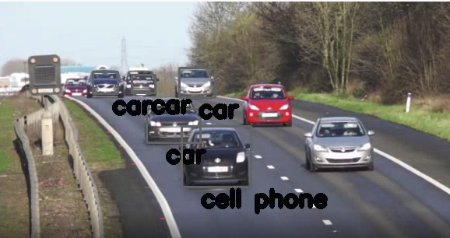
Combine image processing, pre-trained models, and video manipulation to perform object detection in real-time video.
Cars with Bounding Boxes

Review: Image Data Representation

How is image data typically represented and stored? What are the features?

Review: Python Libraries for Image/Video

What Python libraries have we used for image and video manipulation?

Review: Classification with Image Data

How have you performed classification tasks with image data?

Video Processing Project Overview

Process video frame-by-frame, applying a pre-trained object detection model. Visualize detections by drawing bounding boxes around identified objects.

Video Frame with Bounding Boxes

Your Turn

This lab will exercise many of your Python and modeling skills. Let’s get started!

09. Classification Gone Wrong

Even the most sophisticated models can make mistakes or exhibit biases. Understanding these failures is as important as understanding successes.

What Do You See First?

Perception can be ambiguous. Similarly, ML models can misinterpret data, leading to serious issues.
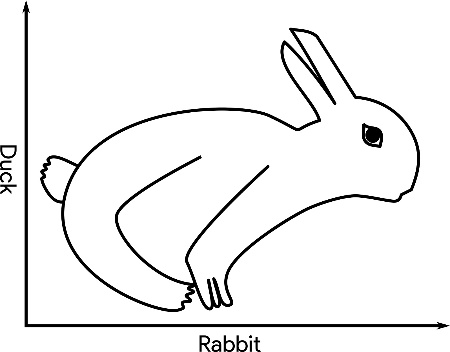
Duck-Rabbit Ambiguous Illusion

Framing Harmful Classifications

  • Often, bias is unintentional, not malicious.
  • However, errors can be difficult to fix once deployed.
  • Mistakes can have long-lasting, negative repercussions on individuals or groups.

Group Activity

Divide into groups (1, 2, 3) and each read a corresponding article. Be prepared to discuss the implications of “classification gone wrong.”
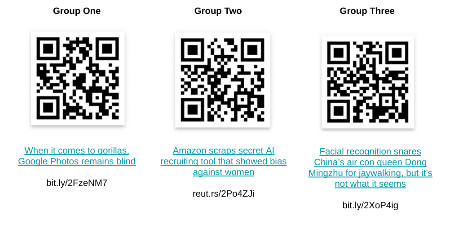
Group Collaboration Image

Group Discussion Prompts

  1. Read the article as a group (10 minutes).
  2. Discuss the following questions (15 minutes):
    • What was the original intent of this model/system?
    • Describe the bias with the model that led to this problem.
    • What was the cause of this problem?
    • Are there other mistakes that this model/system could make with this same root problem?
    • What are the short-term and long-term impacts of this?
  3. Each group will present to the class (5 minutes/group).

Class Discussion

  • What was most surprising or alarming about these examples of bias?
  • How can situations like this be prevented in future ML system designs?
  • What is the real-world impact of these mistakes?
  • What does this mean regarding your responsibility as professionals in ECE ML?