Stage 8 – Stakeholder Validation & Acceptance
Capstone Design
Imron Rosyadi
Stage 8 – Stakeholder Validation & Acceptance
Capstone Design Course – From Needs to Validated Systems using the V‑Model & ISO/IEC/IEEE 29148
Focus of this session: Stage 8 – Stakeholder Validation & Acceptance
DCP‑500C – Stakeholder Validation
Session Learning Objectives
By the end of this session, you will be able to:
- Place Stage 8 – Stakeholder Validation & Acceptance correctly in the V‑Model and distinguish it from verification.
- Describe the ISO/IEC/IEEE 29148 Validation process and its main activities.
- Plan validation scenarios and acceptance tests that tie back to stakeholder needs (
STR-*). - Identify the key deliverables of Stage 8, especially DCP‑500C – Stakeholder Validation and
VAL-*artifacts. - Apply these concepts to ECE projects (IoT, motor control, FPGA systems, embedded devices) using realistic examples of validation.
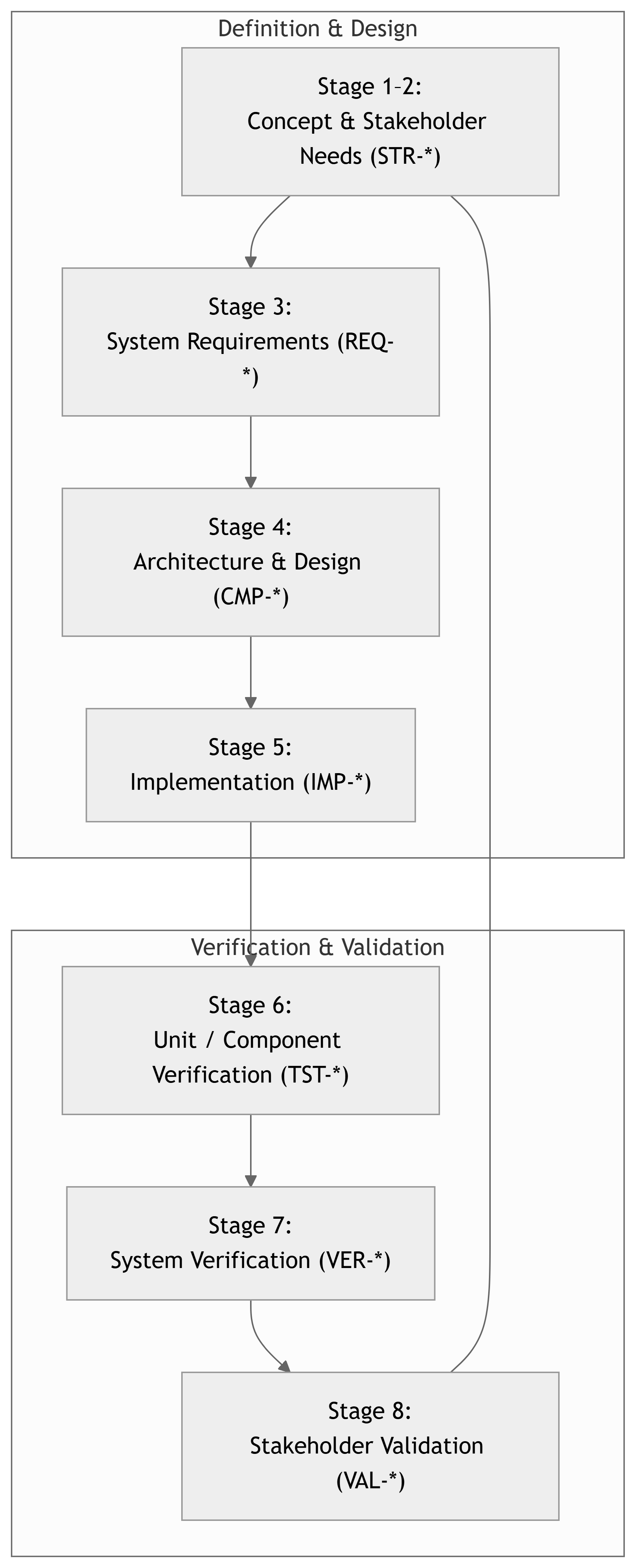
V‑Model – Where Is Stage 8?
Important
Stage 8 is the mirror of Stage 1–2: You are validating the delivered system against the stakeholder needs (STR-*), not just the technical requirements.
Quick Recap – Verification vs Validation
Verification – “Did we build it right?”
- Check product vs requirements and design.
- Activities: unit tests, system tests, analyses, inspections.
- Stages 6 and 7.
Validation – “Did we build the right thing?”
- Check product vs stakeholder needs (
STR-*) and intended use. - Realistic scenarios, users, environments.
- Stage 8.
Tip
A system can be verified (passes all REQ‑based tests) and still fail validation if the requirements were incomplete, misunderstood, or no longer match user needs.
29148: What Is Validation?
ISO/IEC/IEEE 29148 defines Validation as:
Confirmation, through provision of objective evidence, that the system, as built, fulfills its intended use when placed in its intended operational environment.
Key points for Stage 8:
- Focus on stakeholder needs (
STR-*) and operational scenarios. - Uses realistic users, workflows, and environments as far as practical.
- Produces evidence that supports acceptance decisions.
29148 Validation Activities (High Level)
Typical validation process steps (adapted from 29148 and course framework):
- Plan validation
- Identify stakeholders, context of use, and success criteria.
- Define validation objectives and scenarios
- What real‑world tasks should the system enable?
- Map these to stakeholder requirements (
STR-*).
- Prepare validation environment
- As close as possible to operational conditions.
- Conduct validation sessions
- Demonstrations, user trials, pilot runs, acceptance tests.
- Collect and analyze evidence
- Observations, metrics, questionnaires, stakeholder feedback.
- Decide on acceptance
- Confirm which needs are satisfied, which are partially or not met.
- Identify required changes or limitations to communicate.
- Document results
- DCP‑500C – Stakeholder Validation, updated RTM, acceptance sign‑off(s) where possible.
Stage 8 in the Course Framework
Course Stage:
- Stage 8 – Stakeholder Validation & Acceptance
Inputs:
- DCP‑100B – Stakeholder Requirements (
STR-*). - DCP‑200 – System Requirements (
REQ-*). - DCP‑500B – System Verification (Stage 7 results).
- Working system prototype (HW + SW + docs).
Outputs:
- Validation plan and scenarios (
VAL-*items). - Validation session records (notes, metrics, videos, surveys).
- DCP‑500C – Stakeholder Validation document.
- Updated RTM with
STR-* → VAL-*links. - Acceptance decision (yes / yes with caveats / no).
Note
Stage 7 said: “We meet REQ‑123.” Stage 8 should let a stakeholder say:
“Yes, this actually solves my problem / supports my work.”
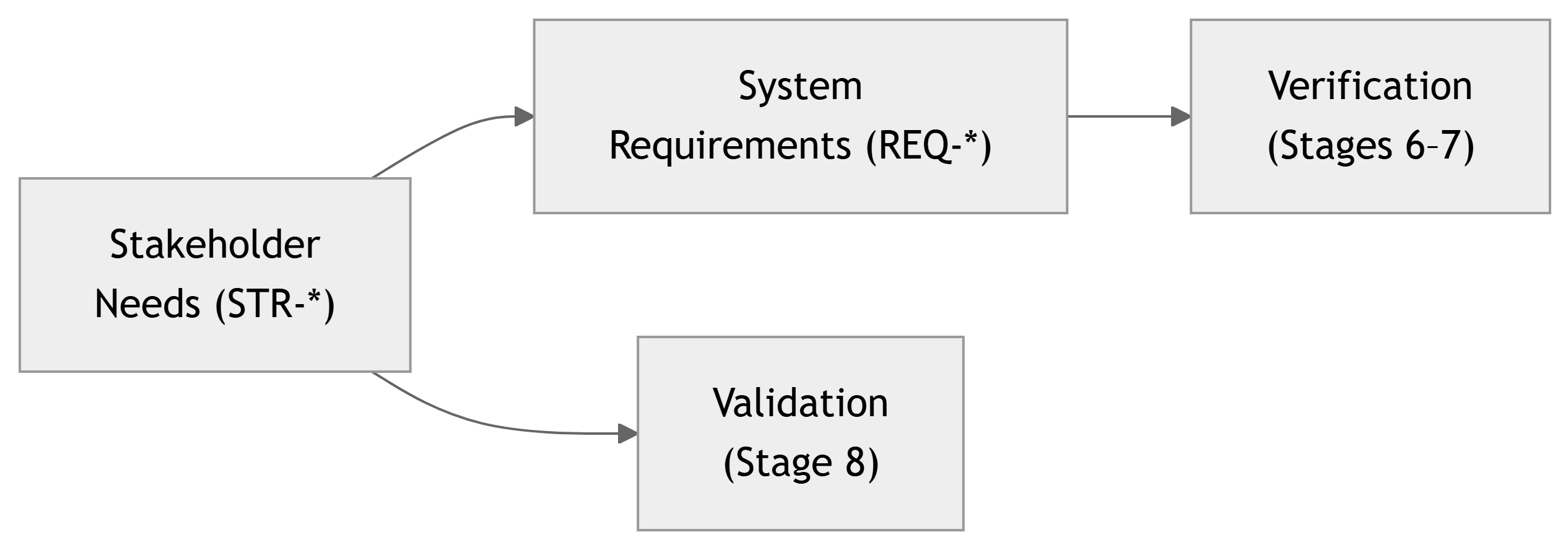
TRACE: From STR‑* to VAL‑*
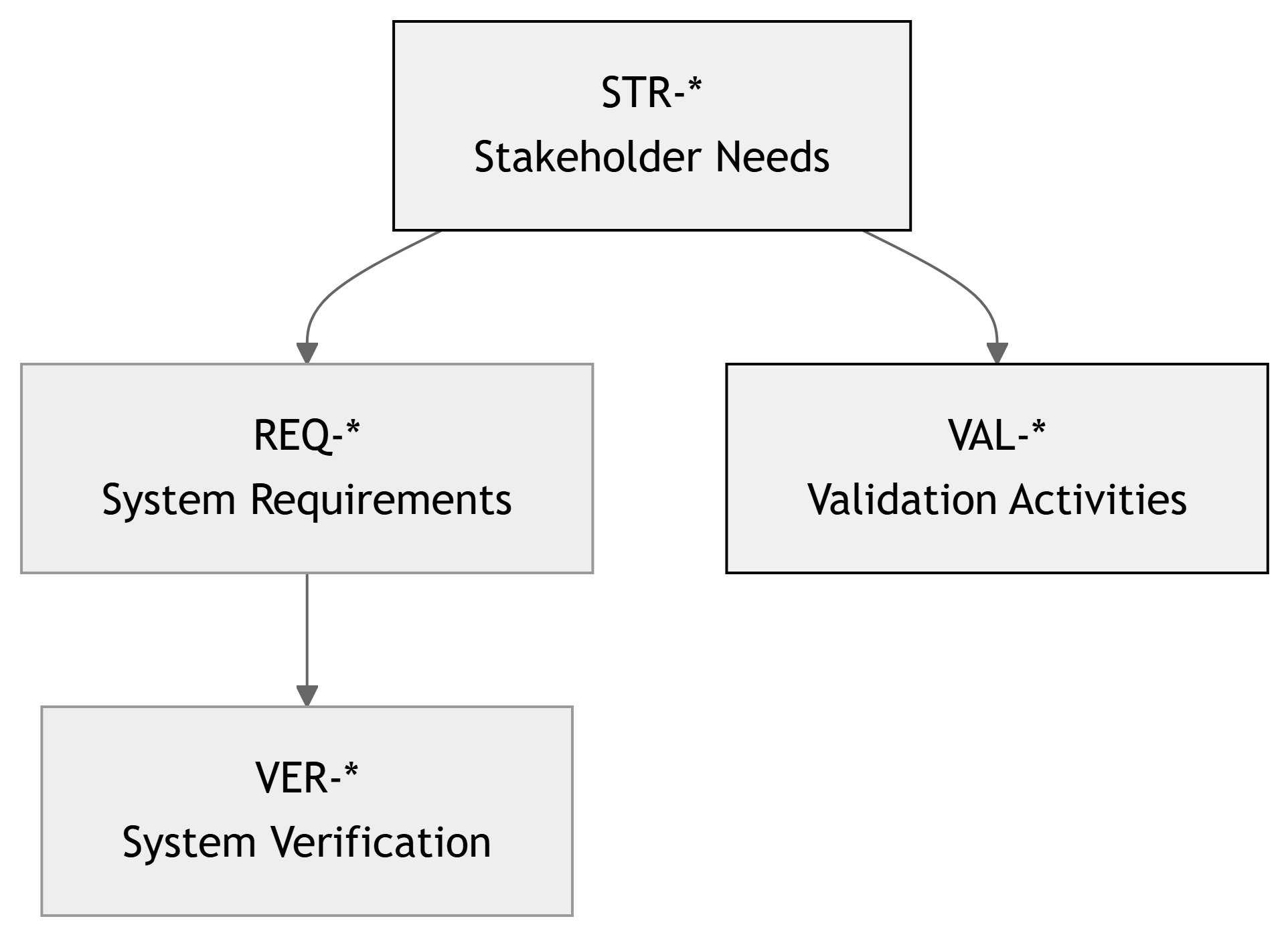
Interpretation:
STR-*were captured early (Stage 1–2).REQ-*were derived fromSTR-*(Stage 3).VER-*testedREQ-*(Stage 7).- Now
VAL-*activities and acceptance tests link directly back toSTR-*.
Important
Validation must explicitly reference stakeholder needs (STR-*), not just REQ-*.
ECE Example – Smart Lab Sensor Network
Stakeholder:
- Lab manager, lab technicians, department safety officer.
Key Stakeholder Needs (STR-*):
STR-SY-001: Quickly know if any lab is out of safe temperature range.STR-SY-002: Understand historical temperature trends for audits.STR-SY-003: Avoid having to manually walk around checking every room.
Potential Validation Activities (VAL-*):
VAL-STR-001-01: Lab manager uses system to locate a “too hot” room in a mock scenario.VAL-STR-002-01: Safety officer retrieves last week’s data to check compliance.VAL-STR-003-01: Compare time/effort vs old manual process.
Example Need → Requirement → Validation
Stakeholder Need (STR-SY-001):
“I want to quickly see if any room is unsafe, without reading lots of numbers.”
Derived Requirements (simplified):
REQ-UI-001: Dashboard shall show each room with a color‑coded status (OK / Warning / Alarm).REQ-UI-002: Overall summary view shall be visible without scrolling on a standard 1080p monitor.
Verification (Stage 7) – VER-*:
- Check that status colors are computed correctly from thresholds.
- Check that layout fits 1080p screen.
Validation (Stage 8) – VAL-*:
VAL-STR-001-01: Invite lab manager, show them the dashboard, and:- Ask them to identify any problematic lab within 30 seconds using the interface.
- Observe whether they rely on color coding or struggle with reading numbers.
Tip
Validation focuses on usability, workflow, value, not just technical correctness.
29148 Validation Activities – Applied
Break down the 29148 steps with concrete tasks for your capstone:
- Identify stakeholders and context of use
- Who will actually use or benefit from this system (lab manager, student, operator, client engineer)?
- Where and how (lab, field, classroom demo, web)?
- Define validation objectives
- What tasks or problems must the system help them solve?
- What would count as success in their view?
- Design validation scenarios (
VAL-*)- Task scripts, acceptance tests, demo storyboards tied to
STR-*.
- Task scripts, acceptance tests, demo storyboards tied to
- Prepare the validation environment
- As close as possible to real conditions (devices, data, noise, loads).
- Conduct validation sessions
- Run scenarios with real stakeholders or realistic proxies.
- Capture observations, times, outcomes, comments.
- Analyze and decide
- Identify which needs are fully met, partially met, or not met.
- Decide on project‑level acceptance and recommendations.
- Document in DCP‑500C
- Structured record that closes the loop on stakeholder needs.
DCP‑500C – Stakeholder Validation (Overview)
Main Stage 8 deliverable:
- DCP‑500C – Stakeholder Validation & Acceptance
Typical contents:
- Purpose & Scope – Which stakeholders, which needs (
STR-*) are in scope. - Stakeholders & Roles – Who participated, what roles they have.
- Validation Plan – Scenarios, success criteria, schedule.
- Validation Activities (
VAL-*) – Detailed descriptions and scripts. - Results & Evidence – Observations, measurements, feedback.
- Assessment vs Needs (
STR-*) – Which needs are met / partially / not met. - Acceptance Decision & Conditions – Advisor / client sign‑off if possible.
- Lessons Learned & Future Work – What remains to be improved if the project continued.
Note
DCP‑500C is your final argument that the system is not just technically solid, but valuable to the people it was built for.
System Tests vs Validation Activities – Contrast
System Verification (Stage 7, VER-*):
- Perspective: Engineer / system.
- Focus:
- Requirements (
REQ-*). - Technical performance (latency, accuracy, reliability).
- Requirements (
- Methods:
- Automated tests, instrumentation, load scripts.
- Example:
- “Does the system show temperature within 30 s of change?”
Stakeholder Validation (Stage 8, VAL-*):
- Perspective: User / stakeholder.
- Focus:
- Needs (
STR-*). - Usability, usefulness, workflow fit.
- Needs (
- Methods:
- User observation, interviews, acceptance demos, pilots.
- Example:
- “Can a lab manager easily see which rooms need attention?”
Important
Stage 7 can pass while Stage 8 fails. If that happens, you have learned something important about stakeholder needs.
ECE Example – Motor Drive Platform Validation
Project: BLDC motor drive with GUI for lab use.
Stakeholders: - Lab instructors. - Students running lab experiments.
Stakeholder Needs (examples):
STR-MD-001: Instructors can set up labs quickly and safely.STR-MD-002: Students can change motor speed easily without damaging equipment.STR-MD-003: Safety stops are obvious and intuitive.
Validation Activities (VAL-*):
VAL-MD-001-01: Instructor configures a typical lab setup in under 10 minutes after brief training.VAL-MD-002-01: Students perform a speed sweep lab with only the provided manual.VAL-MD-003-01: Observers watch if students instinctively use the E‑stop in a mock “problem” scenario.
Example Validation Scenario – VAL‑MD‑002‑01
ID: VAL-MD-002-01 – Student Lab Usability Scenario
- Linked Needs (
STR-*):STR-MD-002: Students can safely run speed control experiments with minimal confusion.
- Objective:
- Determine whether typical students can perform a standard motor speed control lab using the system and manual, without instructor intervention.
- Participants:
- 4–6 students who did not build the system, representing target users.
Procedure (simplified):
- Provide students with the motor drive hardware and GUI, plus a brief lab handout (no extra verbal coaching).
- Ask them to:
- Start the motor.
- Adjust speed to 500, 1000, 1500 RPM.
- Record observed behavior and plots.
- Observe without interfering; time how long they take to complete each step.
- After the task, administer a short questionnaire:
- “How easy was it to use the interface?” (1–5)
- “Did you ever feel unsure or unsafe?” (Y/N, comments).
Success Criteria (example):
- At least 80% of students can complete all steps within the allotted lab time.
- Average usability rating ≥ 4/5.
- No safety incidents or serious confusion reported.
ECE Example – FPGA‑Based Signal Processing Toolkit
Project: FPGA card used as a teaching / research accelerator for signal processing.
Stakeholders: - Faculty member doing research. - Graduate students prototyping algorithms.
Key Needs (examples):
STR-FPGA-001: Easy to swap in new FIR filter coefficients or HDL modules.STR-FPGA-002: Students can set up experiments quickly from Python/Matlab.STR-FPGA-003: System behaves predictably during long‑running experiments.
Validation (VAL-*) Examples:
VAL-FPGA-001-01: Researcher swaps filter design and deploys new bitstream in ≤ 30 min using provided scripts.VAL-FPGA-002-01: Student controls FPGA pipeline from Python notebook following a short tutorial.VAL-FPGA-003-01: 2‑hour experiment run with researcher judging reliability and workflow fit.
Designing Good Validation Activities
Good VAL-* activities are:
- Anchored in stakeholder needs (
STR-*):- Each scenario references one or more
STR-*IDs.
- Each scenario references one or more
- Task‑oriented:
- Based on real tasks stakeholders perform (not just button‑click tours).
- Contextual:
- Use realistic data, environments, and constraints where possible.
- Observable:
- You can measure time, errors, satisfaction, or other indicators.
- Open to feedback:
- Collect qualitative comments, not just numeric scores.
Tip
Ask yourself:
“If this were a product, would this validation give the client enough confidence to buy or deploy it?”
Validation Methods – Beyond Traditional Tests
At Stage 8, you may use a mix of methods:
- Demonstration:
- Show key workflows to stakeholders; let them interact and discuss.
- Observation / Usability Testing:
- Watch real users perform tasks; note confusion points and errors.
- Interviews & Surveys:
- Gather perceptions on usefulness, trust, and satisfaction.
- Pilot Runs / Field Trials:
- Deploy the system in real or pseudo‑real conditions for some time.
- Analytical Comparison:
- Compare measured performance and outcomes to stakeholder expectations (e.g., time saved, reliability vs previous methods).
Note
In capstone projects, even a short, structured user session can be valuable validation evidence if carefully planned.
Validation Environment – Practical Considerations
It is often impossible to fully replicate real‑world conditions, but you should approximate them.
Smart Lab Sensor Network example:
- Ideally: real building, real lab staff, real HVAC events.
- Practically in course:
- A subset of rooms in the ECE building.
- Simulated temperature events.
- Lab manager or instructor role‑playing as stakeholder.
Motor Drive example:
- Ideally: long‑term use in teaching labs across a semester.
- Practically:
- 1–2 trial lab sessions with volunteer students.
- Instructor feedback on set‑up time and clarity.
Warning
Be explicit about assumptions and limitations of your validation environment in DCP‑500C.
Capturing Evidence – What to Record
During validation, collect:
- Quantitative data:
- Time to complete tasks.
- Number of errors or assistance requests.
- Success/failure rates.
- Qualitative data:
- Comments from stakeholders.
- Observations of confusion, workarounds, or pleasant surprises.
- Suggestions for improvements.
- Artifacts:
- Photos or screen recordings (if allowed).
- Filled questionnaires.
- Log extracts showing realistic use.
Note
These form the core evidence you will summarize in DCP‑500C, not just “The client liked it.”
Example – Validation Results Summary Table
| VAL ID | STR ID(s) | Stakeholder Role | Outcome | Key Observations |
|---|---|---|---|---|
| VAL-STR-001-01 | STR-SY-001 | Lab manager | Fully met | Could identify hot room in 12 s |
| VAL-STR-002-01 | STR-SY-002 | Safety officer | Partially met | Historical charts ok, export cumbersome |
| VAL-STR-003-01 | STR-SY-003 | Lab manager | Fully met | Walk‑through replaced by quick screen check |
| VAL-MD-002-01 | STR-MD-002 | Students | Partially met | Needed minor help finding correct menu |
Important
Validation results can be Fully Met, Partially Met, or Not Met. Document why and what that implies for future work.
RTM – Extending to STR-* ↔︎ VAL-*
Your RTM (Requirements Traceability Matrix) can include validation links.
| STR ID | REQ IDs (main) | VER IDs (Stage 7) | VAL IDs (Stage 8) | Validation Status |
|---|---|---|---|---|
| STR-SY-001 | REQ-SY-011, REQ-UI-001 | VER-SYS-001 | VAL-STR-001-01 | Fully met |
| STR-SY-002 | REQ-SW-030, REQ-REP-001 | VER-SYS-002, 005 | VAL-STR-002-01 | Partially met |
| STR-MD-002 | REQ-MD-GUI-001 | VER-MD-001 | VAL-MD-002-01 | Partially met |
Tip
By the end of Stage 8, each key stakeholder need (STR-*) should be:
- Validated (Fully / Partially / Not Met), and
- Linked to concrete validation evidence (
VAL-*).
In‑Class Exercise – Plan a Validation Scenario
Activity (5–10 minutes):
- With your team, pick one key stakeholder need (
STR-*) from your DCP‑100B. - Briefly describe:
- Who is the stakeholder?
- What real task / problem does this STR describe?
- Design a validation activity (
VAL-*):- ID (e.g.,
VAL-<proj>-001-01). - Objective (one sentence).
- Participants and environment.
- 3–5 steps in the scenario.
- Success criteria (quantitative or qualitative).
- ID (e.g.,
We will ask a few teams to share:
- How does your
VAL-*link back toSTR-*? - How would you measure success?
Note
This exercise can seed your actual DCP‑500C validation plan.
Summary – Key Takeaways for Stage 8
- Stage 8 – Stakeholder Validation & Acceptance is about confirming that the system fulfills its intended use for real people, in real (or close‑to‑real) contexts.
- It implements the ISO/IEC/IEEE 29148 Validation process, focusing on stakeholder needs (
STR-*) rather than just requirements. - Validation activities (
VAL-*) are task‑based, contextual, and evidence‑driven, involving actual stakeholders or good proxies. - The main deliverable, DCP‑500C – Stakeholder Validation, documents:
- The validation plan, activities, results, and acceptance decision.
- Even if all verification tests pass, validation can reveal missing, misunderstood, or evolving needs, which is valuable learning in itself.
Important
In the end, a system is successful not just because it passes all tests, but because its stakeholders say, “Yes, this is what we needed.”