Stage 2 – Stakeholder Needs & Requirements
Capstone Design
Imron Rosyadi
Stage 2 – Stakeholder Needs & Requirements
From Needs to Validated Systems using the V‑Model & ISO/IEC/IEEE 29148
Capstone Design – Stage 2 Focus Session
Learning Objectives – Stage 2 Session
By the end of this session, you will be able to:
- Explain the purpose of Stage 2 – Stakeholder Needs & Requirements in the V‑Model.
- Describe the 29148 Stakeholder Needs & Requirements Definition process and its main activities.
- Describe the role of Early Requirements Validation (planning) in 29148.
- Write clear, testable Stakeholder Requirements (
STR-*) and organize them into a Stakeholder Requirements Specification (StRS). - Relate these concepts to ECE capstone examples and to the DCP‑100B deliverable.
Where Stage 2 Fits in the V‑Model
Note
Stage 2 sits at the upper‑left of the V: - Transform mission & ConOps (Stage 1) - Into structured Stakeholder Requirements (STR-*) - That will later drive validation at Stage 8 (VAL-*).
Stage 2 in the Course Framework
From the course overview:
- V‑Model Level: Upper‑left – Stakeholder / User Requirements
29148 Processes used here:
- Stakeholder Needs & Requirements Definition
- Early Requirements Validation (planning)
Stage 2 Activities (course‑level):
- Identify and refine stakeholder needs from Stage 1.
- Elicit needs via interviews, observations, surveys.
- Express needs as clear Stakeholder Requirements (
STR-*). - Begin planning how you will later validate these needs (Stage 8).
- Compile a Stakeholder Requirements Specification (StRS).
Key Deliverable:
- DCP‑100B – Stakeholder Requirements
STR-*IDs and descriptions- Mapping to stakeholders / scenarios
- High‑level acceptance criteria
- Initial Validation Plan (
VAL-*planned)
Tip
Stage 2 is the bridge from the story (ConOps) to formal stakeholder requirements you can validate later.
29148: Stakeholder Needs & Requirements Definition – Purpose
Purpose (adapted from 29148): To elicit, analyze, and document the needs, expectations, and constraints of stakeholders for a system, and express them as a set of stakeholder requirements that are:
- Complete enough for agreed scope.
- Consistent and non‑conflicting.
- Unambiguous and understandable to stakeholders.
- Feasible within constraints (time, budget, technology).
- Traceable to business/mission needs (Stage 1).
Important
Stakeholder requirements = “What the people and organizations need from the system,” not yet the technical design of the system.
29148: Stakeholder Needs & Requirements – Typical Activities
According to 29148, tailored for the course, the process includes:
- Elicitation
- Gather information from stakeholders (interviews, surveys, workshops, observations, reviewing documentation).
- Analysis and Clarification
- Organize and clarify needs.
- Resolve contradictions or conflicts between stakeholders.
- Transformation into Stakeholder Requirements
- Turn qualitative needs and scenarios into structured
STR-*statements. - Group them by function, performance, usability, safety, etc.
- Turn qualitative needs and scenarios into structured
- Review and Agreement
- Review StRS draft with stakeholders to ensure it matches their intent.
- Adjust or negotiate scope as needed.
- Preparation for Validation
- Define high‑level acceptance criteria and think about how you will validate each
STR-*later (Stage 8).
- Define high‑level acceptance criteria and think about how you will validate each
Early Requirements Validation (Planning) – Concept
In 29148, validation is about confirming that the system meets stakeholder needs in its intended context.
In Stage 2 we can’t validate yet (no system exists), but we can:
- Plan how we will later validate each stakeholder requirement.
- Check that each requirement is measurable or observable enough to be validated.
- Identify what validation activities (
VAL-*) might be necessary:- User acceptance tests
- Usability studies
- Field trials
- Demonstrations in realistic environments
Note
Early Validation Planning = “Thinking now about how we’ll prove to stakeholders, at Stage 8, that we built the right thing.”
Stage 1 → Stage 2 → Stage 3 – Flow
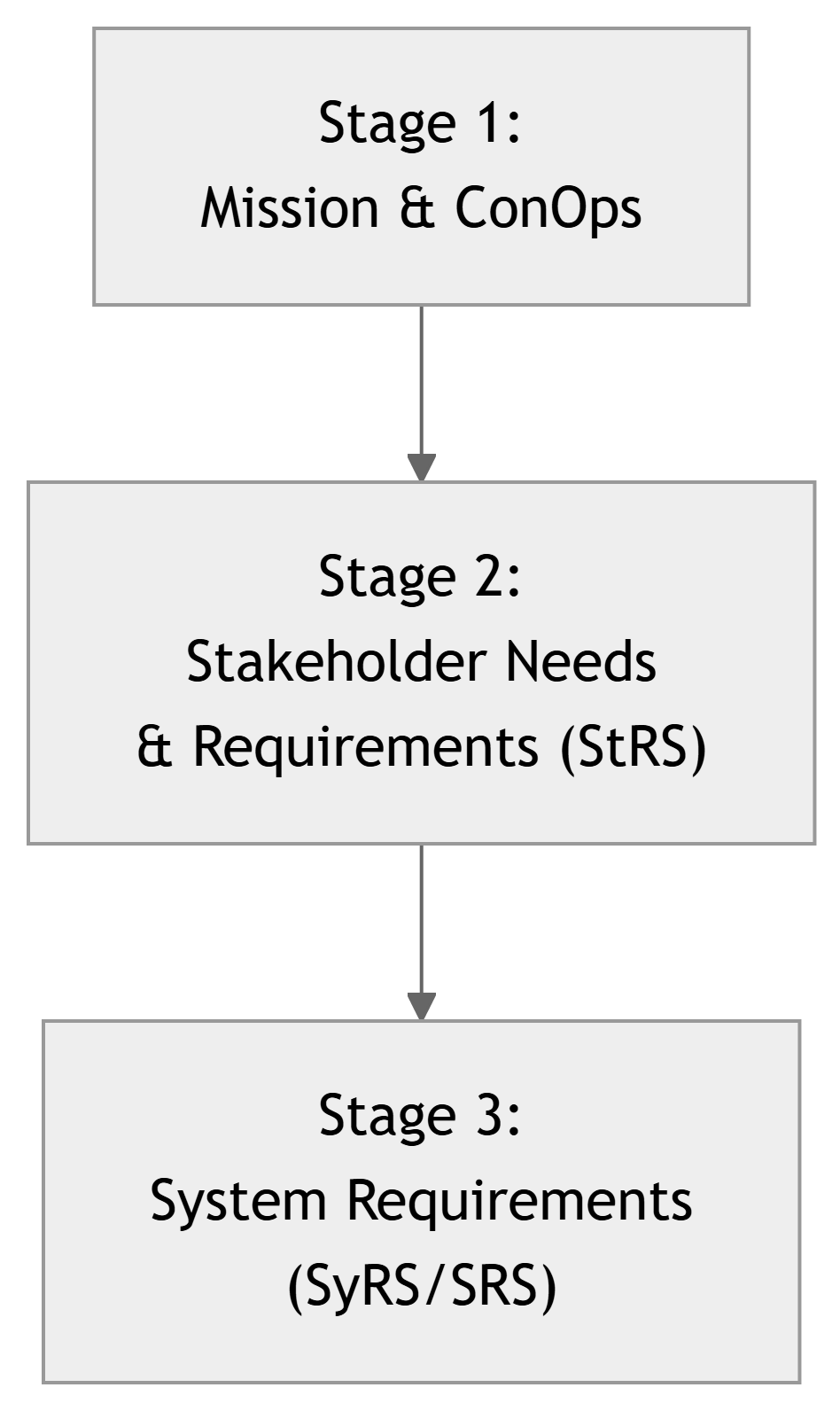
- Stage 1: high‑level mission, stakeholders, scenarios.
- Stage 2: convert that understanding into structured stakeholder requirements (
STR-*). - Stage 3: technical system requirements (
REQ-*) that engineers can design and verify against.
Tip
If you skip Stage 2, you risk going straight from mission → technical specs, and losing the voice of real users along the way.
What Is a Stakeholder Requirement (STR-*)?
A Stakeholder Requirement is a statement of need or constraint expressed in terms meaningful to stakeholders, but written with enough precision to support later design and validation.
Typical characteristics (adapted from 29148):
- Necessary – required by at least one stakeholder.
- Understandable – written in stakeholder language, not jargon.
- Unambiguous – can’t be read in two conflicting ways.
- Feasible – realistic within project constraints.
- Verifiable/Validatable – you can plan an activity to check it.
- Traceable – linked back to a stakeholder and mission objective.
IDs typically use the pattern:
STR-SY-###for system‑level stakeholder requirements.STR-SW-###if you separate software‑specific stakeholder needs.
Important
At this stage, do not worry about internal architecture. Stakeholder requirements talk about what stakeholders want from the system, not how the system is built.
From Needs to STR-* – Smart Lab Example
Raw stakeholder statements (from interviews):
- “I don’t have time to walk around all labs every hour.”
- “If something overheats, I want to know quickly, not the next day.”
- “I’m not interested in raw data unless I can see what’s wrong at a glance.”
- “The system shouldn’t require me to install special software.”
Candidate Stakeholder Requirements (STR-*):
STR-SY-001: Lab technicians shall be able to view the current temperature and humidity for each monitored lab from a single centralized dashboard.STR-SY-002: The system shall notify lab technicians when any lab remains above a configurable temperature threshold for more than a configurable time period.STR-SY-003: The dashboard shall present clear visual indicators of abnormal conditions so that lab technicians can identify problematic labs at a glance.STR-SY-004: Authorized users shall be able to access the dashboard using standard web browsers on campus‑managed PCs without installing additional client software.
ECE Example – Remote Lab Access System
Context: A remote lab access system lets students control lab instruments (oscilloscope, power supply) from home.
Stakeholder groups: - Students (primary users) - Instructors / lab coordinators - IT / security - Lab technicians
Sample stakeholder needs (informal):
- “Students should be able to do labs even if they can’t come to campus.”
- “I need to ensure students work within safe voltage/current limits.”
- “System must not open security holes into lab PCs.”
Candidate STR-* examples:
STR-SY-101: Students shall be able to remotely access assigned lab instruments during scheduled time slots using their university credentials.STR-SY-102: Instructors shall be able to configure safe operating limits (e.g., maximum voltage and current) for each instrument used in a course.STR-SY-103: The system shall restrict remote access to only authorized users and lab PCs according to university IT security policies.STR-SY-104: Lab technicians shall be able to disable remote access to any instrument for maintenance or in case of malfunction.
Elicitation Techniques (29148 in Practice)
How do you actually get these needs?
Common techniques:
- Interviews / Conversations
- Semi‑structured: prepare guiding questions but allow follow‑up.
- Observation / Contextual Inquiry
- Watch stakeholders doing their current work; note frustrations, workarounds.
- Surveys / Questionnaires
- Useful for larger stakeholder groups (e.g., many students).
- Workshops / Brainstorming Sessions
- Group discussion with multiple stakeholders; align expectations.
- Document Review
- Existing procedures, manuals, policies, previous project reports.
Tip
In a capstone: At minimum, you should talk directly to your key stakeholders (or a proxy) and capture notes to justify each STR-*.
Organizing Stakeholder Requirements
To keep DCP‑100B readable, group STR-* by category:
- Functional Needs
- What the system must allow stakeholders to do.
- Performance Needs
- Responsiveness, capacity, timeliness, uptime expectations.
- Usability & Human Factors
- Ease of use, accessibility, training requirements.
- Safety, Security, Privacy
- Protection of people, equipment, and data.
- Operational & Support Needs
- Installation, configuration, maintenance, monitoring.
- Regulatory & Policy Constraints
- Compliance with standards, campus policies, legal constraints.
Note
DCP‑100B should not be a random list. Structure it so reviewers and stakeholders can find what matters to them.
Writing Good STR-* – Clarity and Testability
Problematic requirement (vague):
STR-SY-020: “The system should be easy to use.”
Issues: ambiguous, not directly testable.
Improved requirement (stakeholder + acceptance oriented):
STR-SY-020: First‑time student users shall be able to complete a basic remote lab experiment within 15 minutes of starting, without external help, after only reading a one‑page quick‑start guide.
Now we can imagine a validation activity: a usability test with students.
Simple pattern for STR-*
You can often follow this pattern:
STR-XXX: <Stakeholder group> shall be able to <do something> under <conditions> with <acceptable performance/quality>.
Example:
STR-SY-030: Lab technicians shall be able to acknowledge and silence an environmental alert for any lab within 2 minutes of receiving it, using only the web dashboard from standard lab PCs.
Tip
If you can’t imagine how you would check whether a requirement is met with real users, it probably needs refinement.
Early Validation Planning – Linking STR-* to VAL-*
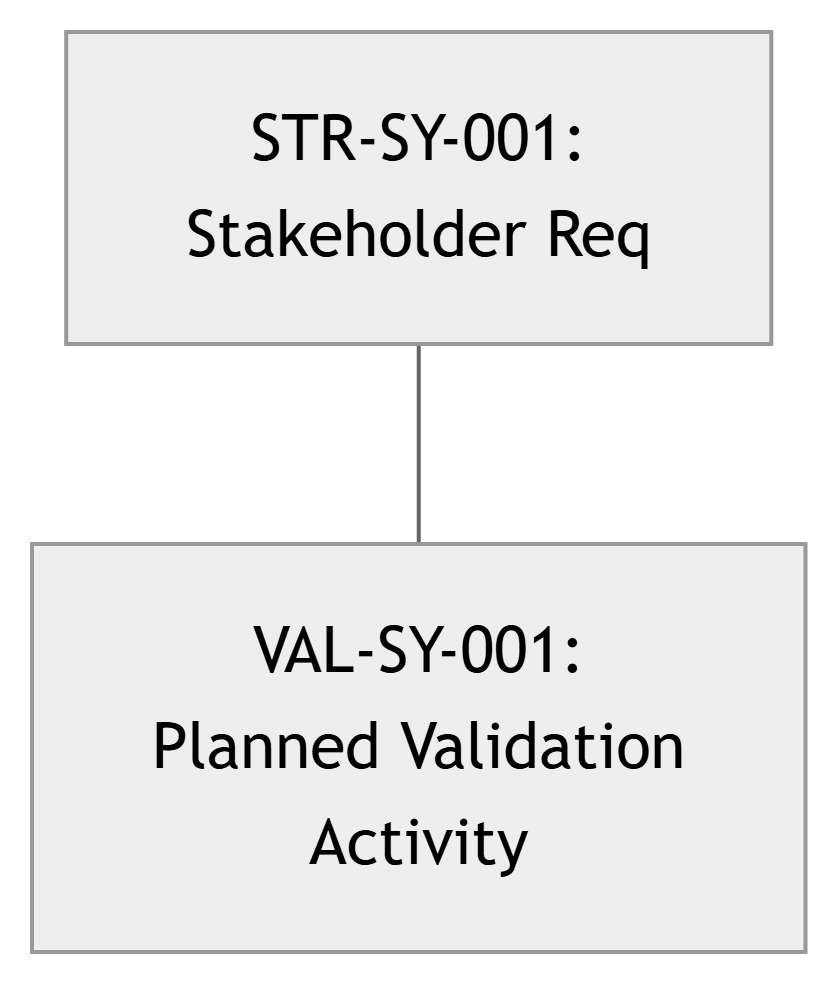
For each major STR-*, ask:
- How will we demonstrate to stakeholders that this is satisfied?
- What kind of validation activity (
VAL-*) will we design in Stage 8?
Example (Smart Lab Network):
STR-SY-001: Lab technicians shall be able to view current temperature/humidity for each lab from a single dashboard.VAL-SY-001(planned): Conduct a demo where lab technicians use the dashboard to correctly identify current conditions in 3 labs without prior training; collect feedback.
STR-SY-002: System shall notify lab technicians about sustained overheating.VAL-SY-002(planned): Simulated overheating scenario during validation demo; confirm technicians receive and understand alerts in time to act.
Note
In DCP‑100B, you don’t need full test procedures yet, but you do need to show you have a plan for validation.
DCP‑100B – Stakeholder Requirements (StRS)
Key contents of DCP‑100B in this course:
- Introduction and Scope
- Short description of what this StRS covers (from DCP‑100A context).
- Stakeholder Summary
- Brief recap or reference to DCP‑100A stakeholder map.
- Stakeholder Requirements (
STR-*) by Category- Functional, performance, usability, safety, etc.
- Traceability to Stage 1
- Each
STR-*linked to:- A stakeholder group (from DCP‑100A).
- A mission or ConOps scenario.
- Each
- Initial Validation Plan
- High‑level mapping from key
STR-*to proposedVAL-*activities.
- High‑level mapping from key
- Open Issues and Assumptions
- Known unknowns that may affect stakeholder needs.
Warning
Remember: Gate Review rule – You cannot move to Stage 3 until DCP‑100B is approved, with: - Clear STR-* - Traceability to Stage 1 - Initial validation thinking in place
Example – Extract from DCP‑100B (Smart Lab Network)
Table of Stakeholder Requirements (excerpt):
| ID | Stakeholder | Category | Description |
|---|---|---|---|
| STR-SY-001 | Lab Technicians | Functional | View current temperature/humidity for each monitored lab from one dashboard. |
| STR-SY-002 | Lab Technicians | Functional | Receive alerts when a lab exceeds temperature threshold for a set duration. |
| STR-SY-003 | Lab Technicians | Usability | Identify out‑of‑range labs at a glance via color‑coded indicators. |
| STR-SY-004 | IT / Net Services | Security | Access the dashboard via secure, authenticated connections only. |
| STR-SY-005 | Lab Manager | Performance | System available during lab hours with less than 5% downtime per semester. |
Initial Validation Plan (excerpt):
| STR ID | Planned VAL-* ID |
Validation Approach |
|---|---|---|
| STR-SY-001 | VAL-SY-001 | Lab tech demo session: verify they can see all labs. |
| STR-SY-002 | VAL-SY-002 | Simulated overheating scenario with real stakeholders. |
| STR-SY-003 | VAL-SY-003 | Usability test: can techs spot issues in < 10 seconds? |
| STR-SY-004 | VAL-SY-004 | Security review with IT; simple penetration tests. |
| STR-SY-005 | VAL-SY-005 | Monitor uptime logs over pilot period; review with owner. |
ECE Example – Wearable Medical Monitor (Stakeholder Requirements)
Context: Wearable device that monitors heart rate and activity for post‑surgery patients.
Stakeholders: - Patients - Nurses - Cardiologists - Hospital IT - Regulatory / ethics board
Sample STR-*:
STR-SY-201: Patients shall be able to wear the device comfortably for at least 16 hours per day during the monitoring period.STR-SY-202: Nurses shall receive an alert within 5 minutes when heart rate exceeds a configured threshold for more than 2 minutes.
More STR-*:
STR-SY-203: Cardiologists shall be able to review summarized daily reports of heart rate and activity trends for each patient.STR-SY-204: The system shall store and transmit patient data in compliance with hospital privacy policies (e.g., encryption in transit and at rest as required).STR-SY-205: Hospital IT staff shall be able to manage user accounts and access using the existing hospital authentication system.
Planned validation ideas:
- Patient usability trial (comfort, wearing time).
- Clinical staff demo using anonymized data.
- Security / compliance review with IT and ethics board.
Common Pitfalls in Stage 2
- Vague requirements
- “System should be fast,” “should be user‑friendly,” “should be secure” with no further detail.
- Hidden assumptions
- Assuming lab techs have dual monitors or special permissions.
- Assuming students always have latest smartphones.
- Missing stakeholders
- Ignoring IT, maintenance staff, or safety officers.
- Jumping to design
- Writing
STR-*that dictate internal technologies:- “System shall use Bluetooth X,” “shall use Raspberry Pi 4,” etc.
- Writing
Warning
Stage 2 is about what stakeholders need, not about picking your favorite chips or frameworks.
Summary – Stage 2 Key Takeaways
- Stage 2 – Stakeholder Needs & Requirements uses 29148’s:
- Stakeholder Needs & Requirements Definition
- Early Requirements Validation (planning)
- Your main job is to:
- Elicit and document stakeholder needs as clear
STR-*requirements. - Organize them into a Stakeholder Requirements Specification (StRS) (DCP‑100B).
- Plan how you will later validate these needs (
VAL-*planning).
- Elicit and document stakeholder needs as clear
- Good
STR-*are:- Understandable to stakeholders, non‑ambiguous, realistic, and validation‑oriented.
- DCP‑100B is the Stage 2 gate artifact:
- Without solid
STR-*and initial validation planning, Stage 3 (System Requirements) will be built on shaky ground.
- Without solid
Important
Stage 2 is where you lock in what success means for your stakeholders. Everything else in the project exists to satisfy and prove those STR-*.