Stage 1 – Project Framing & Concept of Operations
Capstone Design
Imron Rosyadi
Stage 1 – Project Framing & Concept of Operations
From Needs to Validated Systems using the V‑Model & ISO/IEC/IEEE 29148
Capstone Design – Stage 1 Focus Session
Learning Objectives – Stage 1 Session
By the end of this session, you will be able to:
- Explain the purpose of Stage 1 – Project Framing & Concept of Operations (ConOps).
- Describe the 29148 Business or Mission Analysis process and its typical activities.
- Describe the 29148 Stakeholder Identification process and why it is critical.
- List the key contents and deliverables of DCP‑100A Project Proposal.
- Apply these ideas to ECE capstone examples and avoid “solution first” thinking.
Where Stage 1 Fits in the V‑Model
Note
Stage 1 lives at the very top‑left: - Define the business/mission need. - Understand the operational context. - Identify who cares (stakeholders).
Stage 1 in the Course Framework
In course terms (from the intro deck):
- V‑Model Level: Concept / Need
- 29148 Processes:
- Business or Mission Analysis
- Stakeholder Identification
Capstone Activities (Stage 1):
- Define the problem domain and business/mission need.
- Analyze existing solutions and their limitations.
- Characterize environment & context:
- Users
- Constraints
- External systems
- Select a solution class (type of solution), not a design.
- Produce a Concept of Operations (ConOps).
Key Deliverable:
- DCP‑100A – Project Proposal
- Problem statement
- Stakeholder map
- Operational scenarios
- High‑level success criteria
Tip
Stage 1 is about the story of the project: Who has what problem, in what context, and what would “success” look like?
ISO/IEC/IEEE 29148 – Processes in Stage 1
In Stage 1 we primarily apply:
- Business or Mission Analysis
- Why does this system exist?
- What business or mission outcomes must it support?
- Stakeholder Identification
- Who cares about this system?
- Who is affected, who operates it, who maintains it, who pays for it?
Later stages use other 29148 processes (Stakeholder Needs, System Requirements, etc.), but Stage 1 is the front door.
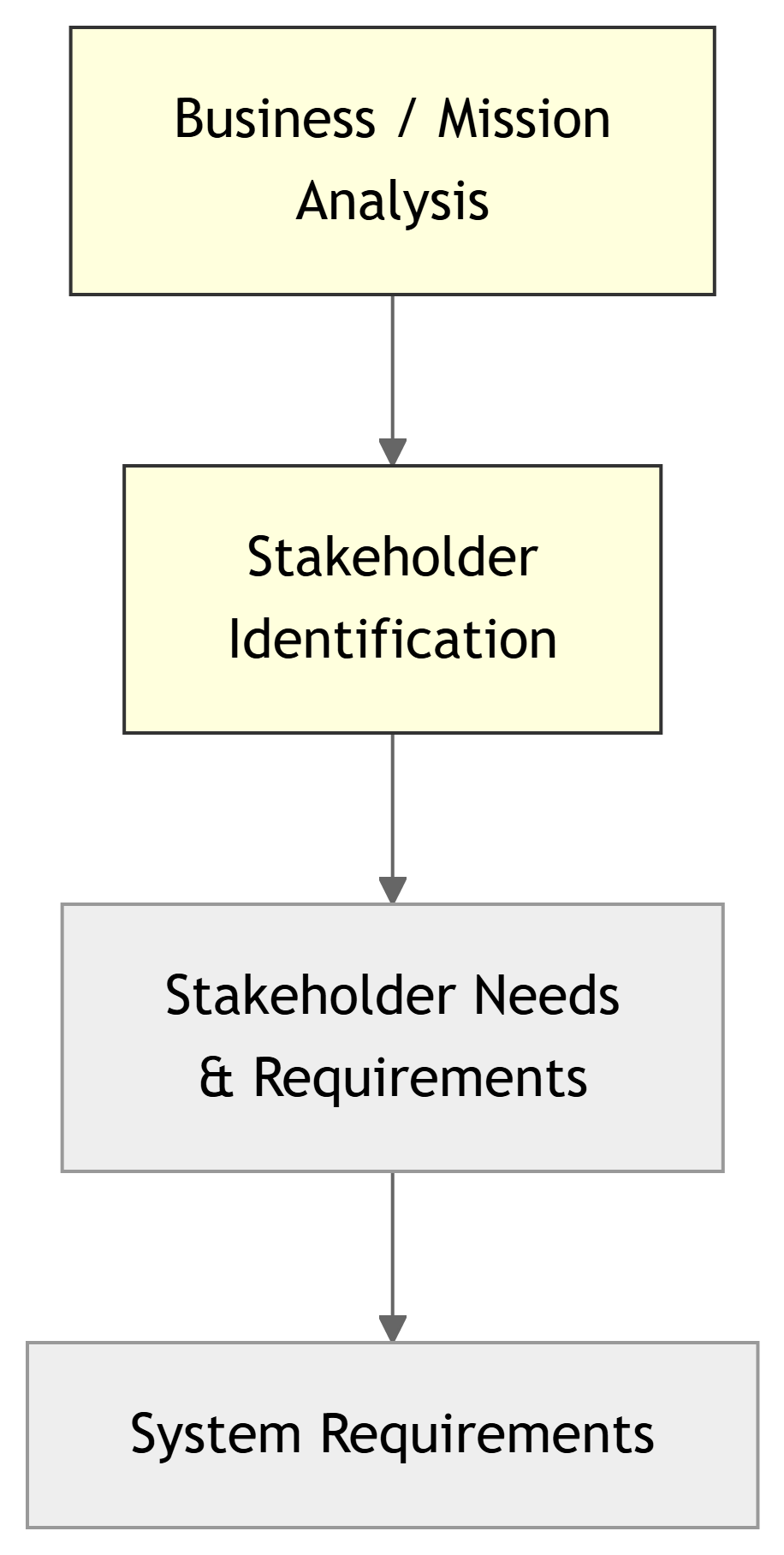
29148: Business or Mission Analysis – Concept
Purpose: To understand the business context or mission context that drives the need for a new or modified system.
Typical questions it answers:
- What problem or opportunity are we addressing?
- What is the mission (for non‑commercial systems) or business goal (for commercial ones)?
- What outcomes do stakeholders care about?
- What is the operational environment (physical, technical, organizational)?
- What constraints limit possible solutions?
Important
If you can’t articulate the mission/business case, you don’t yet have a good project.
Business vs Mission – ECE Examples
Business‑oriented example:
Project: Smart Lab Energy Monitor
Business problem: Lab electricity bills are high; facilities wants to cut costs without compromising experiments.
Desired outcomes:
- Identify energy‑hungry equipment and usage patterns.
- Provide actionable data to lab managers.
Mission‑oriented example:
Project: Disaster‑Resilient Sensor Network
Mission context: Emergency services need situational awareness after earthquakes or floods.
Desired outcomes:
- Maintain communication when mains power and some infrastructure are down.
- Provide key sensor data (e.g., water level, gas leak detection) to responders.
29148: Business/Mission Analysis – Typical Activities
In 29148, activities commonly include:
- Problem / Opportunity Definition
- Describe current situation (AS‑IS).
- Describe desired future situation (TO‑BE).
- Context and Environment Analysis
- Operational environment (physical, network, regulatory).
- Systems and processes that interact with your proposed system.
- Operations Concept Analysis
- High‑level description of how the system will be used over time.
- Feasibility Consideration
- Technical feasibility (can we build it?).
- Resource feasibility (time, budget, skills).
- Business/Mission Case Formulation
- Rationale for doing the project (benefits vs costs/risks).
Business/Mission Analysis vs Requirements
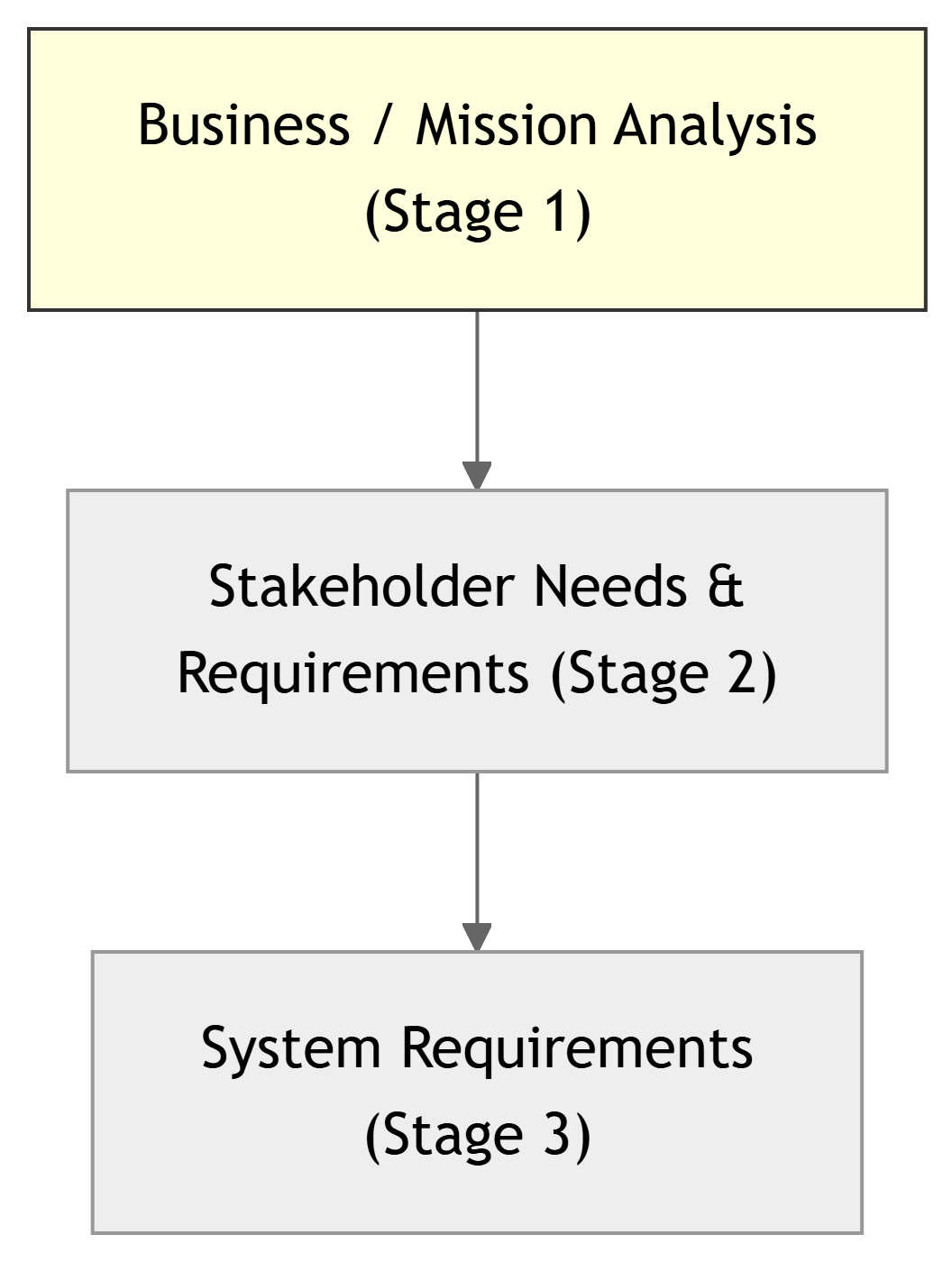
- Stage 1:
- What is the problem or mission?
- In what context do we operate?
- What high‑level outcomes do we want?
- Stage 2 & 3:
- Turn this context into requirements.
- First in stakeholder language (Stage 2), then in technical form (Stage 3).
Note
Stage 1 sets the direction; Stages 2–3 formalize what exactly must the system do.
29148: Stakeholder Identification – Concept
Purpose: To identify all parties that have an interest in the system or are affected by it, so their needs can be captured later.
“Stakeholder” includes:
- Direct end users
- Operators and maintainers
- Managers and decision‑makers
- Safety or regulatory bodies
- IT/network admins, lab technicians
- Faculty advisors, sponsors, teaching staff (in our course)
Warning
Missing a critical stakeholder early → hidden requirements pop up late, causing rework, scope creep, or project failure.
Stakeholder Types – ECE Capstone Context
Typical stakeholder roles in our projects:
- Primary users
- Students, lab technicians, clinicians, drivers, etc.
- System owners / sponsors
- Faculty PI, industry partner, lab manager.
- Support and maintenance
- IT support, lab techs, biomedical engineers.
- Regulators / compliance
- Safety office, ethics board, sometimes external standards (e.g., FCC, medical).
In this course specifically, also include:
- Course staff
- Instructor, TA → care about grading, documentation, safety.
- University services
- Campus network/security, facilities.
- Future teams
- Students who may extend or maintain your system next year.

Stakeholder Identification – Typical Activities
As described in 29148, tailored to our course:
- Identify candidate stakeholders
- Brainstorm a list of all who might interact with or be affected by the system.
- Classify / group stakeholders
- Users, owners, maintainers, regulators, external systems, etc.
- Analyze stakeholder interests
- What does each group want from the system?
- What concerns or constraints do they have?
- Prioritize stakeholders
- Which ones are critical to success or acceptance?
- Document a stakeholder map
- For DCP‑100A: roles, interests, potential conflicts.
Tip
Treat stakeholder identification as a living activity – you may discover new stakeholders later, but Stage 1 should capture the obvious major ones.
From 29148 Processes to Stage 1 Deliverables
29148 Says You Should:
- Analyze business/mission context.
- Identify and classify stakeholders.
- Understand the operational environment.
In this course, you will:
- Write a Problem Statement and Context section.
- Create a Stakeholder Map.
- Define Operational Scenarios / Use cases.
- Propose a high‑level concept of operations (ConOps).
All of this goes into:
DCP‑100A – Project Proposal
Sections typically include:
- Background & Problem Description
- Business/Mission Need and Objectives
- Stakeholder Identification & Roles
- Operational Context & Environment
- Concept of Operations (ConOps)
- Preliminary Solution Class and Scope
- Risks & Feasibility (high level)
Concept of Operations (ConOps) – What It Is
A Concept of Operations (ConOps) is a narrative and graphical description of:
- How the system will be used in its real environment.
- Who interacts with it and what they do.
- Sequences of events (before, during, after use).
- Operational modes (normal operation, startup, shutdown, failure modes, maintenance).
It is written mainly in stakeholder language, not low‑level engineering details.
Note
Think of ConOps as a storyboard of your system in action.
ConOps – Typical Content (Adapted from 29148)
A good ConOps in DCP‑100A should cover:
- Overview of the system’s purpose
- One or two paragraphs in plain language.
- Operational environment
- Physical: lab, vehicle, hospital room, outdoor, etc.
- Technical: network, power, existing systems.
- Operational scenarios
- Step‑by‑step story of typical use cases.
- Include normal and abnormal (error/failure) cases.
- Roles and responsibilities
- Who does what during operation, setup, maintenance.
- Assumptions and constraints
- “We assume campus Wi‑Fi is available.”
- “System must run on battery for at least 8 hours.”
Multi‑Scenario ConOps – Smart Lab Sensor Network
Example Project: Smart Lab Sensor Network (from intro deck).
Scenario 1 – Normal Operation:
- Sensors in each lab periodically measure temperature and humidity.
- Nodes send data wirelessly to a gateway.
- Gateway forwards data to a campus server.
- Dashboard displays real‑time conditions for each lab.
- Lab tech checks dashboard at start of day.
Scenario 2 – Alarm Condition:
- Temperature in Lab 3 > 28°C for >10 minutes.
- Node continues to send readings; server detects pattern.
- System generates an alert within 2 minutes.
- Lab tech receives visual and/or email alert.
- Tech inspects room, adjusts HVAC or notifies facilities.
Scenario 3 – Maintenance Mode:
- Tech puts node into maintenance mode from dashboard.
- Node stops generating alarms but still logs data.
- Tech replaces sensor and runs a quick sanity check.
Visualizing ConOps – High‑Level ECE Example
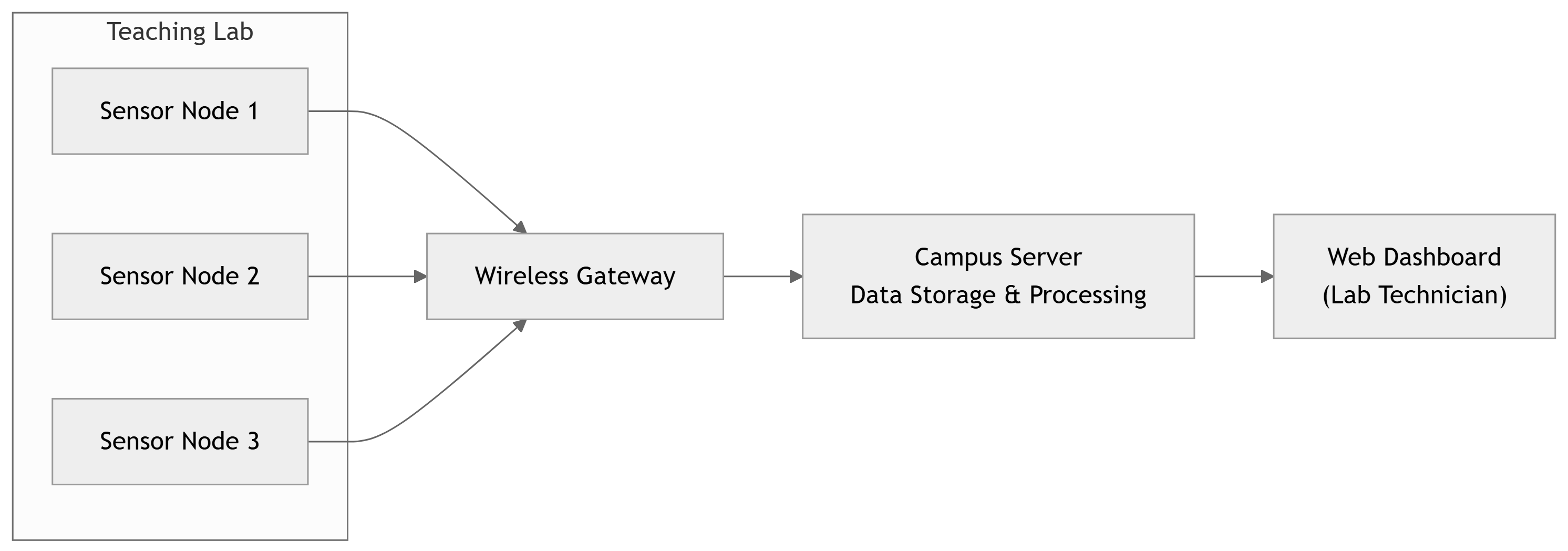
- This is not architecture design yet; it’s a conceptual view of how things interact.
- Helps you explain operational flow in ConOps: sensor → gateway → server → user.
Stage 1 Activities – Course‑Level View
Your Stage 1 work, step‑by‑step:
- Clarify the project idea
- From sponsor brief, faculty suggestion, or your team’s idea.
- Rephrase it in your own words, check your understanding with advisor/sponsor.
- Perform Business/Mission Analysis
- Define the problem or mission clearly.
- Analyze benefits, costs, and risks at a high level.
- Identify Stakeholders
- List stakeholders, their roles, and their interests.
- Analyze Operational Context
- Where and when will the system be used?
- What external systems does it touch?
- Develop ConOps (Scenarios & Modes)
- Create several key operational scenarios that illustrate usage.
- Check Feasibility & Scope
- Ensure the project is doable within time and resources.
- Write & Submit DCP‑100A
- Integrate all the above into a coherent Project Proposal.
DCP‑100A – Suggested Structure
A typical DCP‑100A might include these numbered sections:
- Introduction & Background
- Project title, team members, sponsor/advisor.
- Brief background of application domain.
- Problem / Mission Statement
- Clear, concise summary of the problem or mission.
- Business/Mission Objectives & Value
- What improvements or outcomes are expected?
- Stakeholder Identification & Roles
- Table or diagram of stakeholders (role, interest, influence).
- Operational Context & Constraints
- Environment, existing systems, regulatory or safety constraints.
- Concept of Operations (ConOps)
- Operational scenarios
- Modes of operation (normal, degraded, maintenance)
- Preliminary Solution Class & Scope
- Proposed type of solution (e.g., “wireless sensor network + web dashboard”).
- Out‑of‑scope items, key assumptions.
- Initial Risks and Feasibility Assessment
- Major technical, schedule, or resource risks.
Example – Partial DCP‑100A for Smart Lab Sensor Network
Problem / Mission Statement (example):
Teaching laboratories in the ECE department currently rely on manual checks by lab technicians to detect thermal issues that may damage equipment or create uncomfortable working environments. There is no central, real‑time view of lab conditions, leading to delayed detection of overheating and inefficient energy use.
Business/Mission Objectives:
- Provide real‑time visibility of temperature/humidity in all teaching labs.
- Enable early detection of overheating to protect equipment and occupants.
- Support data‑driven energy optimization by facilities staff.
Stakeholder Snapshot (excerpt):
| Stakeholder | Role | Interest / Concern |
|---|---|---|
| Lab Technicians | Primary users | Easy monitoring, reliable alerts |
| Facilities Manager | System owner/sponsor | Energy savings, reduced damage costs |
| IT Department | Network/security support | Secure, low‑maintenance integration |
| Faculty Instructors | Indirect users | Minimal disruption to teaching |
ConOps Scenario (short excerpt):
Each morning, the lab technician opens a web dashboard that shows the current temperature and humidity in all labs. If any lab has been above 28°C for more than 10 minutes, the dashboard displays a red alert icon. The technician can click the alert to see a trend graph and notes, then decides whether to adjust HVAC or contact facilities.
ECE Example – Embedded Medical Monitor
Project concept: A wearable heart‑rate and activity monitor for post‑surgery patients, sending data to hospital staff.
Business/Mission Analysis (high‑level):
- Mission: Reduce hospital readmissions by monitoring recovery at home.
- Current state: Nurses rely on occasional phone calls and clinic visits.
- Desired state: Continuous monitoring to detect issues early.
Stakeholders (initial list):
- Patients (primary wearers)
- Cardiologists and nurses (data users)
- Hospital IT/security (data storage, privacy)
- Regulatory bodies (medical device requirements)
- Family members (secondary stakeholders)
ConOps scenario (simplified):
- Before discharge, nurse configures wearable with patient ID and thresholds.
- Patient wears device at home; it measures heart rate and activity continuously.
- Device transmits periodic summaries and real‑time alerts via smartphone gateway.
- Hospital dashboard flags patients whose metrics exceed pre‑set thresholds.
- Nurse reviews alerts daily and follows up with selected patients.
ECE Example – Autonomous Campus Shuttle (Controls/Embedded)
Project concept: A scaled autonomous shuttle (small vehicle platform) for campus tours on predefined routes.
Business/Mission Analysis:
- Mission: Demonstrate future autonomous transit, improve visitor experience.
- Current state: Human‑driven carts for guided tours.
- Desired outcomes: Reduced staffing, novel experience, data for research.
Stakeholders:
- Campus visitors (passengers)
- Shuttle operators / supervisors
- Campus safety & risk management
- Vehicle maintenance staff
- Research group (using data/logs)
ConOps highlights:
- Normal operation: shuttle follows route, stops at landmarks, announces info.
- Abnormal: obstacle detected → shuttle slows/stops and requests human takeover.
- Maintenance: daily pre‑drive check and periodic calibration by staff.
Stakeholder Map – Simple Visual

- Each arrow represents a relationship (use, ownership, support, impact).
- You can annotate with keywords (e.g., “uses”, “maintains”, “funds”).
Activity – Stakeholder Brainstorm (In‑Class)
Quick exercise (5–7 minutes):
In groups (or individually), pick one of these example systems:
- Campus bike‑sharing system with smart locks.
- Remote lab access system for ECE experiments.
- Smart parking lot occupancy system.
List as many stakeholder groups as you can think of.
Classify each as:
- Primary user, indirect user, owner/sponsor, maintainer, regulator, course staff, etc.
Share 1–2 surprising stakeholders with the class.
Tip
When you pick a project idea for your team, do the same exercise and put the results into your DCP‑100A.
Stage 1 Deliverables – Key Quality Criteria
For the Stage 1 Gate Review (DCP‑100A), reviewers will look for:
- Clear Problem / Mission Statement
- Specific, understandable, not just “build X”.
- Coherent Business/Mission Case
- Why is this worth doing? Who benefits?
- Comprehensive Stakeholder Identification
- At least all major categories relevant to the project.
- Concrete, Realistic ConOps
- Several well‑thought‑out operational scenarios.
- Realistic Scope & Feasibility
- Fits within calendar, resources, and team skills.
Important
If your DCP‑100A cannot convince reviewers that you understand the problem, context, and stakeholders, you will likely not pass the Stage 1 Gate.
Avoiding “Solution‑First” Thinking
Common trap: > “We want to build a system using Raspberry Pi + LoRa + MQTT because it’s cool.”
Missing: Who needs what, and why?
Instead, ask first:
- What problem are we solving?
- Who are the stakeholders, and what do they care about?
- In what environment will this run (Wi‑Fi? cellular? no network)?
- What constraints exist (power, safety, cost, privacy)?
Only then choose: microcontroller vs SBC vs FPGA, LoRa vs Wi‑Fi, etc.
Warning
“Technology shopping list” ≠ Stage 1. You must lead with needs, context, and ConOps.
Linking Stage 1 to Traceability
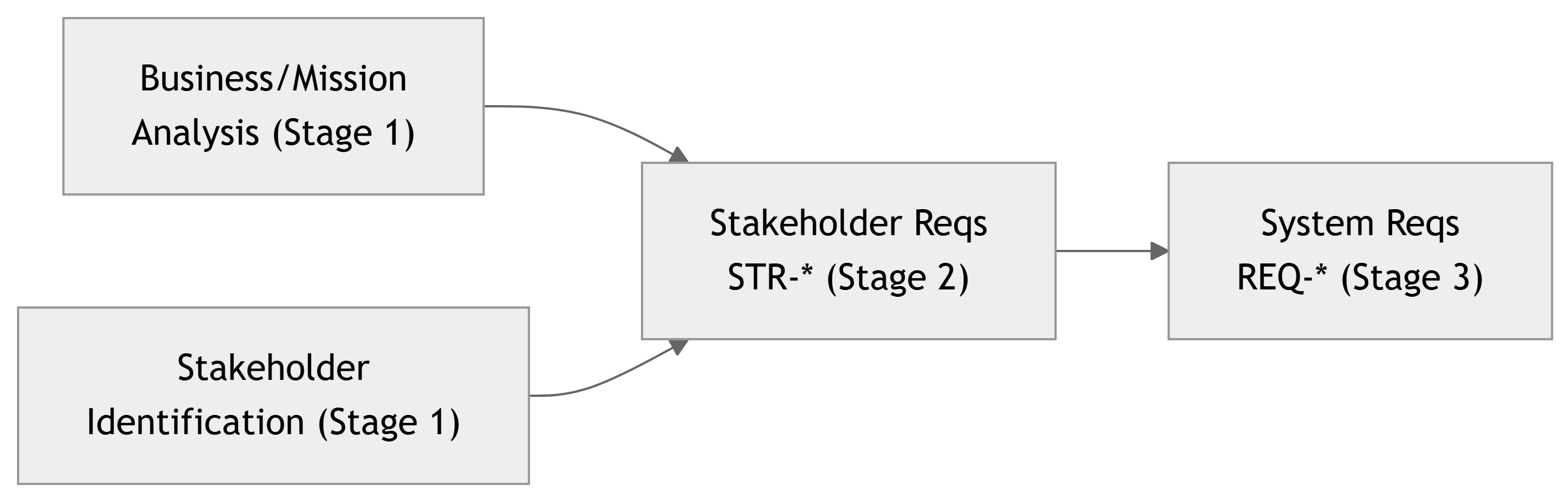
- Stage 1 does not yet produce
STR-*IDs, but it feeds into them. - Every stakeholder requirement in Stage 2 should trace back to:
- A stakeholder identified in Stage 1.
- A business/mission objective from Stage 1.
Note
Think of Stage 1 as building the roots of the traceability tree.
Summary – Stage 1 Key Points
- Stage 1 – Project Framing & ConOps applies 29148’s:
- Business or Mission Analysis
- Stakeholder Identification
- Your main job is to understand and document:
- The problem/mission and business value.
- The stakeholders and their roles.
- The operational context and concept of operations.
- The primary deliverable is DCP‑100A Project Proposal, which must:
- Convince reviewers that the project is meaningful, feasible, and well‑framed.
- Lay the foundation for Stage 2 stakeholder requirements (
STR-*).
- Strong Stage 1 work prevents late surprises and supports clean traceability through the V‑Model.
Important
Before you design circuits or write code, you must first engineer a well‑framed problem and mission. That is the essence of Stage 1.